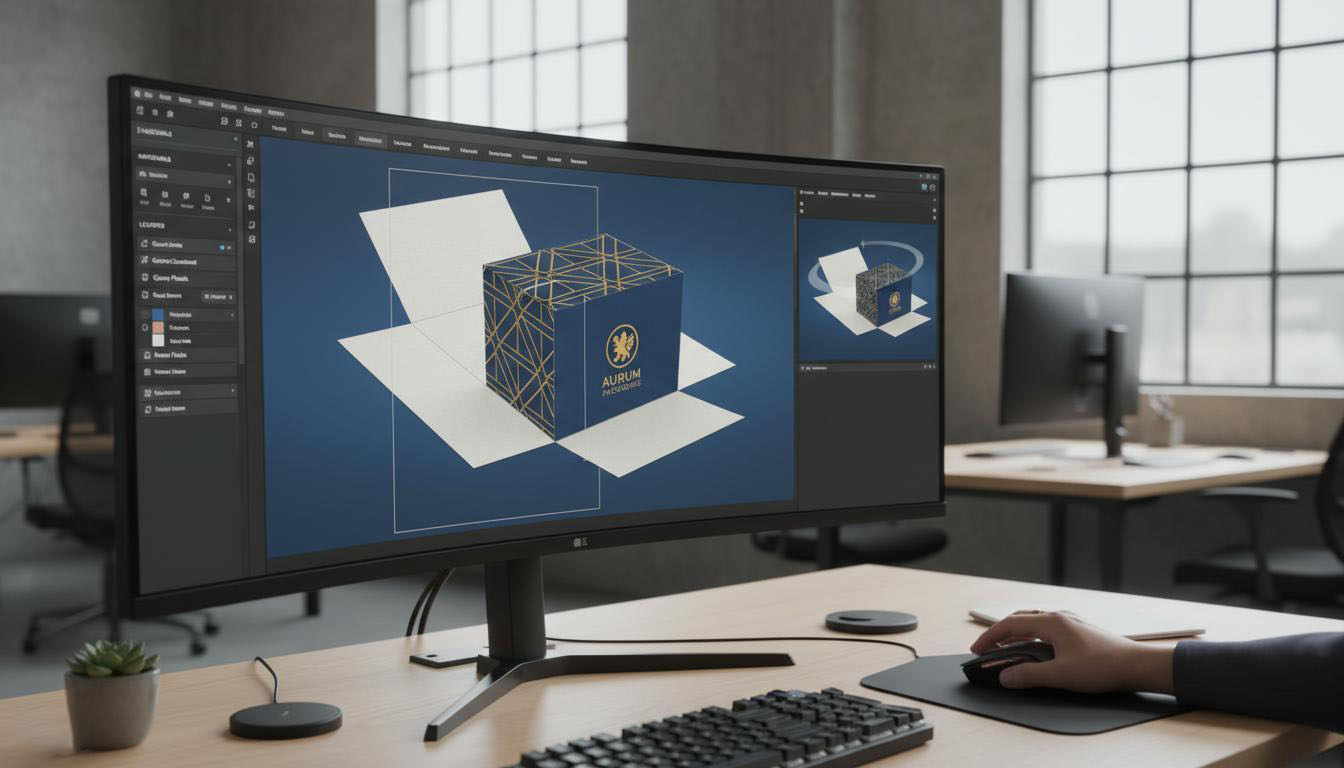
How to Get a Free Dieline Online: From Box Idea to Production-Ready Template in 10 Minutes
A dieline is the 2D blueprint of your box — and it's where most packaging projects stall. Here's what a dieline actually contains, why factories charge for it, and how to generate one free in your browser (SVG/DXF export included).
What Exactly Is a Dieline?
A dieline is the flat, unfolded template of a package: every panel, flap, glue tab, and fold line drawn 1:1 so that when the sheet is cut and folded, it becomes the box you imagined. It's the file the die-cutter actually follows — which makes it the single most important artifact between "I want a box" and "here's the production quote".
A production-grade dieline contains:
- **Cut lines** (usually red): where the die cuts through
- **Crease/fold lines** (usually blue dashed): where the paper folds
- **Bleed** (3mm standard): artwork margin so trimmed edges never show white
- **Glue tabs & locking tucks**: with correct angles for the paper thickness
- **Grain direction marker**: folds crack against the paper grain if you get this wrong
Why Factories Charge for Dielines (And When That's Fair)
A structural engineer needs 2-6 hours to design and test-fold a custom structure. At ¥300-500/hour, a bespoke dieline is a ¥600-3,000 engineering item — real work, genuinely charged.
But here's what changed: **80% of packaging uses ~20 standard structures**. FEFCO 0201 shipping cartons, mailer boxes, tuck-end boxes, magnetic rigid boxes, gable boxes — these are solved geometry, parametrized by four numbers: length × width × height × material thickness.
There is no good reason to pay engineering fees for a solved geometry. Which is why free online dieline generators now exist for all of them.
Free Routes to a Production-Ready Dieline
Route 1: Online Dieline Generator + 3D Preview (Free, 10 Minutes)
**[1688Box's online 3D box designer](/designer)** generates parametric dielines from 20+ standard templates:
1. Pick a template (FEFCO 0201, mailer, tuck-end, rigid box, tray...)
2. Enter L × W × H and paper thickness (thickness matters: flap clearances shift by the material's caliper)
3. Preview the folded result in real-time 3D — check proportions before committing
4. Export the unfolded dieline as **SVG / DXF / PDF** at 1:1 scale, with cut vs. crease layers separated
The SVG drops straight into Illustrator/Figma as your artwork base; the DXF goes to any die-maker; the PDF prints to scale for a physical mock-up with scissors and tape. For a crash-test of your proportions before ordering anything, that physical fold-up is worth ten emails with a factory.
Route 2: Free Parametric Tools for Specific Structures
Need a [corrugated shipping box](/tools/corrugated), a folding carton, or a tray? Dedicated generators like the ones in the [1688Box toolbox](/tools) handle single structures with production-grade formulas — for example, the tuck-flap calculations account for paper caliper so the tuck actually stays closed.
Route 3: Ask the Factory — Free, but Sequential
Most packaging factories will generate a dieline free if you're a serious prospect (it's a sales cost for them). The catch: it's sequential and slow. Every structural revision costs you a round-trip email and 1-2 days of waiting. Bring your own generated dieline and you compress that loop to minutes — and only ask the factory to verify.
From Dieline to Artwork: The 4 Things Beginners Get Wrong
1. **Forgetting material thickness.** A dieline drawn for 0.5mm paper will not close properly on 3mm corrugated board — flaps collide, tucks won't lock. Always generate from your actual material. (Corrugated? Check [flute types and their calipers](/knowledge/paper-materials) first.)
2. **Ignoring grain direction.** Print the dieline, note the grain marker, fold accordingly. Wrong grain = visible cracking on every fold.
3. **Designing artwork before the dieline.** Work in the other order: lock the structure, export the flat template, design inside it. Otherwise your hero visual lands on a glue tab.
4. **No bleed.** 3mm bleed on every trimmed edge. Digital print shops may accept 2mm; offset wants 3mm. Use a free [bleed calculator](/tools/bleed-dpi) if unsure.
A 10-Minute Workflow You Can Run Today
1. **Minute 0-2**: Open the [3D box designer](/designer), pick your structure, enter dimensions
2. **Minute 2-4**: Rotate the 3D preview, fix proportions, adjust flap style
3. **Minute 4-6**: Export the dieline SVG — drop it into your design tool as the artwork base
4. **Minute 6-8**: Add artwork, mind bleed and grain direction
5. **Minute 8-10**: Export DXF for your die-maker, or send the whole package to a small-batch factory like 1688Box for a [50-unit quote](/en/articles/custom-packaging-low-moq-50-units)
> Packaging design used to start with a fee quote from a structural engineer. Now it starts with a browser tab. The dieline — once the most expensive gate in custom packaging — is the part that became free first.